Can I Export a Lovable Project? Step-by-Step Guide
.webp)
Table of content

Overview:
Exporting a Lovable project to GitHub gives you full code ownership, but what you do after the export determines whether you end up with a prototype or a production-ready product. This guide covers the full export process, what's inside your codebase, and how Alanbagi turns Lovable exports into web applications that perform.
FAST LANE
Quick Access
- Can You Actually Export a Lovable Project?
- What's Inside Your Exported Lovable Codebase
- Step-by-Step: How to Export to GitHub
- What Happens After Export Your Real Options
- Real-World Use Cases: Why Builders Export
- How Alanbagi Transforms Lovable Exports into Production Apps
- Clubzup: Built on Lovable
- Common Export Mistakes and How to Avoid Them
- Lovable Pricing: Which Plan Do You Need to Export?
- What Alanbagi Does After Export That Most Developers Skip
- Exporting Your Lovable Project: Next Steps
TL;DR
- Yes — Lovable lets you export your full project to GitHub on paid plans. You own your code completely.
- Your export includes React, Tailwind CSS, Supabase config, routing, and your full folder structure.
- Enable GitHub sync from day one — not at the end — to protect your full build history.
- After export, you can continue in VS Code, Cursor, or hand the codebase to a development team.
- Lovable has a free plan for testing and paid plans for serious builders who need export and full features.
- Alanbagi takes Lovable exports and builds production-ready web apps — design, integrations, SEO, and scale.
Can You Actually Export a Lovable Project?
Yes, and this is one of the things that clearly sets Lovable apart from most no-code and low-code platforms. Unlike tools that trap your project inside their ecosystem, Lovable gives you complete code ownership through GitHub integration. Your app isn't stored as a proprietary format that only their platform can read. It's real React code, real Supabase backend configuration, real Tailwind CSS styling all of it organized in a standard file structure that any developer can open and work with.
This matters a lot more than people realize when they're starting out. The moment your product starts getting traction when you need custom payment logic, a bespoke API integration, server-side SEO, or an advanced database relationship you need access to the actual code. Lovable's export feature means you never have to rebuild from scratch to get there.
What's Inside Your Exported Lovable Codebase
Most people are pleasantly surprised by the quality and structure of a Lovable export, especially when the project is built with a clear plan and well-crafted prompts. Here's exactly what you get when you export your project:
React Components with Vite and TypeScript
Your project comes with React components built using Vite and TypeScript. This ensures your code is industry-standard, readable, and easy to maintain, giving developers confidence in its long-term scalability.
Tailwind CSS Throughout
The codebase leverages Tailwind CSS, providing a utility-first approach to styling. Your designs are responsive by default and highly customizable, making adjustments quick and efficient.
Supabase Configuration
Your export includes complete Supabase setup: database schema, Row Level Security (RLS) policies, and authentication configuration. This ensures your backend is ready to go with best practices built in.
Environment Variable Structure
The codebase includes a structured environment setup for API keys, Sybase credentials, and deployment configurations, keeping sensitive information organized and secure.
Logical Folder Structure
The exported repo follows a clear folder hierarchy: pages, components, hooks, utilities, and types are all separated cleanly. This makes it easy for any developer to navigate the project immediately.
Production-Grade Architecture
The codebase is designed for production, meaning a developer unfamiliar with your Lovable project can open the repo and understand its structure within minutes. The quality of your export reflects the quality of your planning and design — which is why Alanbagi's design-first, Plan Mode workflow consistently produces cleaner and more maintainable exports than trial-and-error prompting.
Step-by-Step: How to Export Your Lovable Project to GitHub
Exporting your Lovable project to GitHub is fast and easy, taking less than five minutes. Follow these steps to get your code on GitHub and ready for development:
Open the GitHub Integration
Open your Lovable project and locate the GitHub icon in the top navigation bar. Click it to open the GitHub integration panel.
Connect Your GitHub Account
If you haven't connected your GitHub account yet, click Connect GitHub and authenticate via OAuth. This is a one-time step.
Choose a Repository
Decide whether to create a new repository or connect to an existing one.
Configure Your Repo
Name your repository, set the visibility public or private — private is recommended for client work, and click Connect Repository.
Export Your Codebase
Lovable will push your entire codebase to GitHub. Depending on your project size.
Clone the Repository
Once the sync is complete, go to your GitHub repo, copy the clone URL, and run the following in your terminal:
git clone [your-repo-url]
Open in Your IDE
Open the cloned folder in VS Code, Cursor, or your preferred IDE — and you're ready to continue developing!
📌 Pro Tip:Enable GitHub sync at the very start of your project — before your first prompt. This gives you a complete commit history from day one and protects your entire build.
What Happens After Export — Your Real Options
Exporting gives you the codebase. What you do with it determines everything. Here are the main paths people take after exporting a Lovable project services:
Continue Building Locally
Clone the repo, open in VS Code or Cursor, and keep developing independently of Lovable. You can add features, refactor components, optimize bundle size, and push changes back to GitHub. Your Lovable project and local development stay in sync through GitHub.
Hand Off to a Development Team
Once you've validated your idea in Lovable, you can bring in professional developers to scale it. Because the export is standard React and Supabase, any experienced developer can onboard without reverse-engineering a proprietary format. The handoff is clean and fast.
Optimize with Cursor and Claude AI
This is the Alanbagi workflow. After exporting from Lovable, we open the codebase in Cursor, an AI-powered code editor and use Claude AI to run a deep optimization pass. Architecture cleanup, performance improvements, custom logic, SEO implementation. Cursor lets us move fast while Claude handles the heavy lifting on complex code tasks.
Deploy on Your Own Infrastructure
You can deploy your exported app on Vercel, Netlify, Railway, Render, or any platform of your choice completely separate from Lovable's built-in deployment. This gives you full control over environment variables, custom domains, CI/CD pipelines, deployment regions, and infrastructure costs.
Already exported your Lovable project but unsure what comes next?
Alanbagi takes your codebase and makes it production-ready advanced integrations, SEO, custom design, and ongoing support.
Work With AlanbagiReal-World Use Cases: Why Builders Export Their Lovable Projects
Exporting isn't just a technical option, it's a strategic decision that unlocks the next phase of your product. Here are the most common reasons people export and how it plays out in practice.
Adding Custom Features Lovable Can't Handle Natively
Lovable handles standard web app patterns exceptionally well. But complex conditional logic, multi-step onboarding flows with branching, custom pricing engines, or advanced data visualization these need direct code access. Export makes that possible without rebuilding from scratch.
Scaling an MVP into a Real Product
The classic Lovable path: validate your idea fast with AI-generated code, get your first users, then scale with professional development. Exporting bridges the gap between prototype speed and production quality without throwing away weeks of work.
SEO and Organic Growth
Lovable's client-side rendering (CSR) architecture requires strategic approaches to rank on Google. Once exported, an SEO expert — like Alanbagi — can implement server-side metadata, schema markup, structured data, crawlable landing pages, and internal linking that Lovable's interface doesn't expose. This is one of the biggest reasons our clients export early.
Reducing Long-Term Platform Dependency
Some builders export simply to ensure they're never dependent on a single platform's pricing or availability. Having your full codebase in GitHub means your product can survive any changes to Lovable's business model, pricing, or features.
How Alanbagi Transforms Lovable Exports into Production-Ready Apps
At Alanbagi, the export workflow is the backbone of how we deliver results. We don't treat a Lovable export as a finished product — we treat it as a high-quality foundation that we build on with professional expertise.
Our process starts before Lovable even opens. We design the entire visual system in Google AI Studio first — every component, layout, and interaction finalized before we write a single prompt. When we build in Lovable, we're executing a proven design, not experimenting and burning credits. GitHub sync is connected on session one, so the full build history is captured from the very first commit.
After the Lovable build is solid, we export to GitHub and bring the codebase into Cursor with Claude AI for a deep optimization pass. This is where architecture gets cleaned, performance gets tuned, custom features get added, and SEO gets implemented.
Clubzup: Built on Lovable, Scaled by Alanbagi
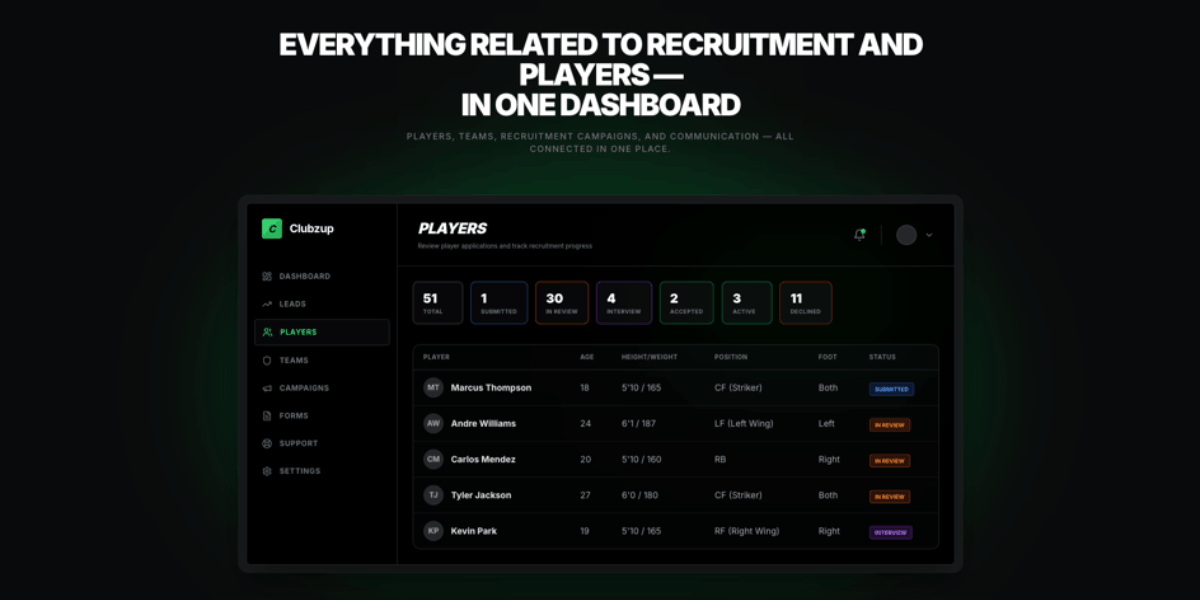
Clubzup is a multitenant community platform we designed and developed as an internal Alanbagi project — and it's the clearest example of what our Lovable export workflow can produce. The platform handles role-based access control, user directories, event management, real-time messaging, and analytics dashboards — all working reliably across different user types and community structures.
We built the full design system in Google AI Studio before Lovable. That single decision saved a significant number of credits and eliminated design iteration inside the platform entirely. Once the core was built in Lovable, we exported to GitHub and ran a comprehensive optimization pass using Cursor and Claude — tightening the architecture, improving real-time performance, and setting the codebase up for long-term scalability.
The result is www.get.clubzup.com a platform that performs at a level most teams would need months to reach from scratch. Clubzup is proof that Lovable's speed and Alanbagi's expertise aren't competing — they're complementary.

Common Export Mistakes and How to Avoid Them
Most export problems aren't created at the export stage they're created during the build. Here's what we see consistently, and how to avoid it.
Waiting Until the End to Connect GitHub
This is the single most common mistake. Builders complete their entire project in Lovable and then connect to GitHub losing the full commit history and making debugging significantly harder. Enable GitHub sync before your first prompt. It costs nothing and protects everything.
Building Without a Plan — Messy File Structure
Unstructured prompting produces an unstructured export. Components in the wrong folders, duplicated logic, inconsistent naming. This is fixable but expensive in developer time. The solution is using Plan Mode before building it forces Lovable to think through architecture before generating code.
Incomplete Supabase Configuration
If your Row Level Security policies, environment variables, and database relationships aren't properly set up before export, your app will fail to connect to the backend when deployed outside Lovable's managed environment. Always test your Supabase connection independently and document your env variables before exporting.
Skipping Code Review After Export
The exported code works but 'working' and 'production-ready' aren't the same thing. Redundant components, unused imports, unoptimized queries, missing error handling. A professional code review after export is not optional if you're building something real. This is where Alanbagi's web development services add immediate, measurable value.
Lovable Pricing — Which Plan Do You Need to Export?
Lovable offers a few different plans to match where you are in your build. Understanding the options helps you choose the right starting point and avoid hitting a wall mid-project, whether you're just starting as a Lovable dev or scaling a full-featured project.
Free Plan — Testing and Exploration
Lovable's free plan gives you a limited number of daily credits to experiment with the platform enough to see what it can do and validate whether it fits your workflow. It's perfect for learning the prompting style and prototyping early ideas. Export and GitHub sync are not included on the free plan, so it's not the right fit if you're building something you intend to ship.
Pro Plan — For Serious Builders
The Pro plan is where most solo builders and startup founders land when they're ready to launch. It unlocks GitHub sync meaning you can export along with custom domain support, private projects, and code mode access. If you're building an MVP or a client project that you plan to take into production, this is your starting point. The monthly credit allocation is generous enough for a well-planned project.
Business Plan — For Teams
The Business plan is designed for teams building together. It adds higher credit limits, team workspaces, SSO integration, data privacy controls, and access to templates. If you're running an agency, working with multiple clients in Lovable simultaneously, or building a larger product with a team, the Business plan gives you the collaboration and control you need.
📌 Pro Tip:Start with the free plan to understand how Lovable works and test your prompting approach. When you're ready to connect to GitHub and build something real, upgrade to Pro. Move to Business when team collaboration becomes a genuine need not before.
What Alanbagi Does After Export That Most Developers Skip
The gap between a raw Lovable export and a production-ready application isn't technical complexity it's the details most developers skip because they're moving fast. Alanbagi's web development services are built around exactly those details.
Architecture Review and Code Cleanup
We go through the exported codebase and clean up redundant components, fix inconsistent patterns, optimize imports, and restructure anything that would create technical debt. Clean architecture means faster future development, fewer bugs, and a codebase that scales without breaking.
SEO Layer — Built for Organic Visibility
Lovable's client-side rendering requires a deliberate SEO strategy to rank on Google. We implement server-side metadata, Open Graph tags, schema markup, crawlable landing pages, and internal linking structures. This is not an after thought it's built into the export optimization process from the start.
Custom Integrations and Advanced Features
Payment processing with proper security and webhook handling. Third-party API connections. Custom authentication flows. Complex data relationships and reporting. These are the features that turn an MVP into a business tool and they're exactly what Alanbagi's development team handles post-export.
Branding, Design Polish, and Performance
Generic Lovable outputs get custom design treatment from Alanbagi unique visual identities, polished micro-interactions, mobile optimization, and Core Web Vitals tuning. By the time we're done, your app doesn't look AI-generated. It looks like a professional product built specifically for your brand.
Exporting Your Lovable Project: Next Steps
Exporting your Lovable project is one of the most important decisions you'll make as a builder. It removes platform dependency, gives you full code ownership, and opens the door to every advanced feature, optimization, and integration your product will eventually need. The export itself is a simple five minutes to connect to GitHub and your codebase is yours.
That's exactly what Alanbagi does. We take Lovable exports and build production-ready web applications architecture cleanup, custom integrations, SEO, performance optimization, professional design, and ongoing support. Whether you've already exported and need help with next steps, or you want expert guidance from the very start of your Lovable build, we're ready to help.
Reach out to Alanbagi today at 713-364-2311 to get this workflow set up for your project and go from idea to production with confidence.
Let's build your next web application the right way.
Turn Your Lovable Export into a Production-Ready Web App. Custom design, advanced features, SEO optimization, and ongoing support — from prototype to product that performs.
Work With AlanbagiFAQ's
How do I export my Lovable project to GitHub?
Yes! Lovable allows you to export your project to GitHub on paid plans. You get full code ownership including React components, Tailwind CSS styling, Supabase backend setup, environment variables, routing, and a clean folder structure ready for continued development.
What types of apps can I build and export from Lovable?
Lovable exports support MVP landing pages, SaaS dashboards, internal tools, full-stack apps, and custom web applications. Developers can continue building locally, integrate third-party APIs, or scale prototypes into production-ready products.
How do I make my Lovable export ready for production?
After exporting, the code can be optimized with Cursor and Claude AI for architecture cleanup, performance improvements, SEO, and custom integrations.
Why should I export my Lovable project early?
Exporting early prevents platform dependency, preserves your commit history, and allows advanced features like custom payment flows, branching logic, and SEO optimizations. It ensures you can scale your MVP into a real product without rebuilding.
How can Alanbagi help with my Lovable export?
Alanbagi transforms raw Lovable exports into production-ready web apps with clean architecture, custom integrations, polished design, SEO optimization, and ongoing support. Whether you want guidance from the start or help after export, we make sure your project performs like a professional product.